
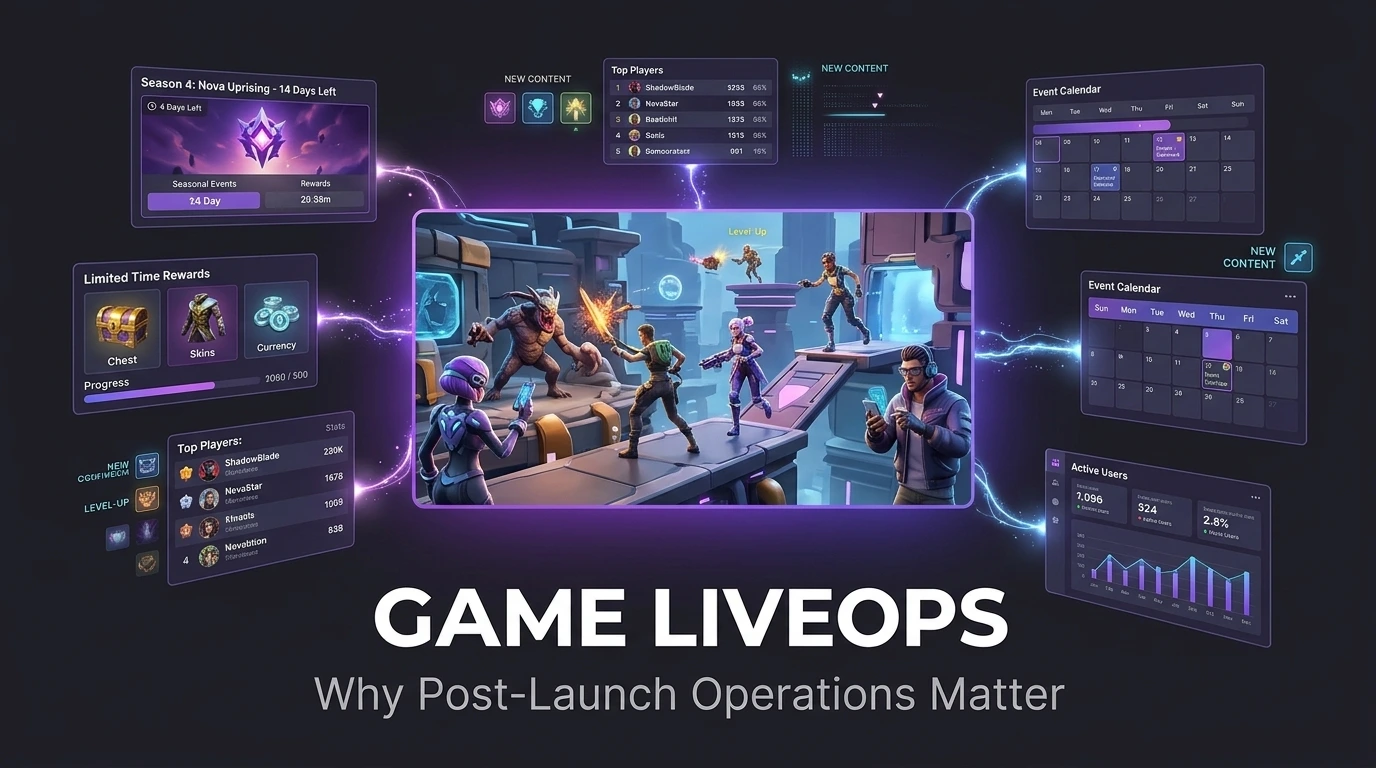
Game LiveOps is the practice of running a game as an ongoing service: scheduling events, tuning the economy, testing offers, and releasing new content without forcing players to download a new version. It decides how long a game keeps earning after launch day. If you are building a game that depends on return visits, LiveOps is the part of the plan that pays for everything else.
This guide covers the weekly work, the store tools, and the planning that belongs before launch.
The Definition, Plainly
Apptica’s guide to LiveOps describes the practice as extending an app’s lifespan by changing, updating, or improving a game without releasing a new version, so players do not need to download anything. That one design choice, delivering change through remote configuration instead of store updates, is what separates LiveOps from ordinary patching.
Game LiveOps covers the live operations games run on a recurring schedule: seasonal events, limited-time offers, new challenges, balance adjustments, and personalized messages. It is closely tied to what the industry calls live service games, titles built to keep earning and engaging for years instead of selling once. A premium game with no updates ends when the story ends. A live game keeps going as long as the calendar stays interesting.
Why the Launch Is the Easy Part?
Post launch game support is where most of a live game’s value is won or lost.
The numbers explain why studios invest here. GameAnalytics’ 2026 benchmark report, as summarized by GameDev Reports for mobile games with at least 1,000 monthly active users, shows that day-1 retention for the top quarter of games sits just above 30 percent, day-7 retention for that group is about 6 to 7 percent, and median day-30 retention is under 1 percent. These are aggregates across genres, but the shape is familiar to every producer: players disappear fast, and only a reason to come back brings them home.
LiveOps supplies that reason, and strong player retention is the result. Each event, offer, and content drop is a fresh invitation to return, and the data it produces shows which invitations work. Player retention is the main objective, and revenue follows from it.
Market pressure raises the stakes. Sensor Tower’s H1 2026 report, covered by PocketGamer.biz, put mobile game in-app purchase revenue at about $40 billion, down 2 percent year over year, with downloads down 12 percent. When fewer people install new games, getting more value from the players you already have becomes the cheaper path to growth.
What Can Actually Be Outsourced?
Game art outsourcing covers a wide range of disciplines: 2D and 3D character design, environment art, UI and UX design, concept art, marketing and key art, animation, and technical art like rigging and shader work. A studio can outsource a single asset category or run an entire art pipeline through an external partner, depending on internal capacity and budget.
The Seven Building Blocks
A complete game LiveOps setup rests on seven parts.
Julia Iljuk, co-founder of Balancy, lists the components of a LiveOps setup in the Apptica guide. We group them into seven blocks.
1. Remote Configuration
Remote config lets a studio change values, content, and rules from a dashboard instead of through a build. Prices, drop rates, level difficulty, event schedules, and reward amounts can all live there. Without it, every adjustment waits for store review.
2. An Events Calendar
Events are the visible face of LiveOps. A calendar plans them in advance, balancing recurring formats such as weekend challenges with one-time moments tied to holidays or real-world occasions. A strong calendar mixes cadence with surprise.
3. Offers and Bundles
Special offers include temporary discounts, bundles, extra value for the same price, and limited-availability content. They work best when tied to a moment in the player’s journey, such as a new character or a difficult level.
4. Segmentation and Personalization
Not every player should see the same thing. Segments, defined by spending, progress, or behavior, let the team show a newcomer a starter pack and a veteran a late-game challenge.
5. A/B Testing
Experiments compare two versions of an offer, price, or feature. A team that tests is learning what players want, and a team that guesses is spending budget on opinions.
6. Messaging
In-app messages, push notifications, and email tell players what is happening. Good messaging is relevant and well timed, and poor messaging teaches players to turn notifications off.
7. Analytics
Product analytics tie everything together. Retention curves, event participation, conversion rates, and economy flows show which parts of the calendar earn their place.
A Sample 12-Week Calendar
A calendar clarifies abstract advice. The example below shows how a mid-core mobile game might structure a quarter. It is an illustration, so adjust the rhythm to your genre and audience.
| Week | Main Event | Supporting Activity | Primary Goal |
| 1 | Season launch with new content | Starter bundle for returning players | Re-engagement |
| 2 | Weekend challenge | Push reminder, small reward | Daily activity |
| 3 | Limited-time offer tied to new character | A/B test on price points | Conversion learning |
| 4 | Collaborative community goal | Leaderboard reset | Social engagement |
| 5 | Mid-season content drop | Balance changes based on data | Retention |
| 6 | Weekend challenge | Segmented offers for lapsed players | Reactivation |
| 7 | Holiday or real-world occasion event | New cosmetic items | Revenue and brand moment |
| 8 | Limited-time game mode | Messaging test | Variety |
| 9 | Competitive tournament | Prize pool, spectator highlights | Competitive players |
| 10 | Weekend challenge | Economy review | Health check |
| 11 | Pre-finale event | Teaser for next season | Anticipation |
| 12 | Season finale and rewards | Retrospective and data review | Closure and planning |
Notice the rhythm. Small, predictable events create habit, and larger moments create spikes. Between them, the team reads data and adjusts.
What the App Stores Give You?
Both major stores now offer ways to promote events directly on the store page, which can bring lapsed players back without paid advertising.
Google Play Promotional Content
Google Play’s promotional content tool, formerly called LiveOps, lets developers showcase in-app content, major updates, and limited-time events across Google Play. AppTweak’s guide to the program notes that it was still in beta and available only to selected developers, and that Google reportedly said apps using it in the closed beta had an average of 5 percent more active users and 4 percent higher revenue than apps that did not. Treat those as reported figures from a closed beta, and verify the current status in Play Console.
The same guide lists several operating rules: events can run up to four weeks, submissions go in within 14 days of the start date, approval can take up to four days, and the start date must be more than 24 hours away. Events cannot be edited after submission, and they must be new, available to all users, and live in the app at the same time as the promotion. Developers who break the rules can be removed from Play Console promotion for 30 days.
Apple In-App Events
Apple’s In-App Events appear on the App Store product page and in search. According to Apptica’s summary, App Store event cards are visible only to users on iOS 15 and newer, an app can have up to 10 approved events at once with 5 published on the page, and events can last up to 30 days. Google Play limits some event types to 28 days in the same guide. Rules change often, so check current documentation before you plan a calendar around them.
The practical point is to schedule events with store submission in mind. A team that plans four weeks ahead can feature each major event on both stores, and a team that plans four days ahead cannot.
The People Behind the Calendar
LiveOps is a team sport, even at small studios. The roles below can be combined in a lean team, but each function needs an owner.
| Role | Responsibility |
| LiveOps manager | Owns the calendar, coordinates releases, protects cadence |
| Game designer | Designs events, challenges, and balance changes |
| Economy designer | Models currencies, sinks, and rewards so the economy stays healthy |
| Data analyst | Builds dashboards, runs experiments, reports findings |
| Artist and animator | Creates event art, UI, banners, and effects |
| Engineer | Maintains remote config, event tools, and backend services |
| Community manager | Gathers feedback, communicates changes, handles players’ concerns |
| QA tester | Tests every event on devices before it goes live |
Our game art and game animation teams often support the content pipeline, since event art and effects are a constant demand, and our game testing group checks each event on real devices before release.
Building the Game So LiveOps Is Possible
The hardest LiveOps problems are baked in before launch. Several design and technical choices make the difference.
- Data-driven content. Events, levels, and rewards defined in data files or a content management tool can be updated without code changes.
- Remote config from day one. Retrofitting it later is painful.
- A flexible economy. Currencies and rewards must tolerate new sources and sinks without breaking.
- Modular UI. Event screens, banners, and popups should slot into the game without redesign.
- Analytics instrumentation. Event tracking has to be in the first build, because data you did not collect cannot be recovered.
- Server capacity and backend tools. Live events create traffic spikes, and teams need dashboards to start, stop, and monitor them.
- Asset delivery. Downloadable content systems let the game fetch new art without a store update.
Our mobile game development team builds these systems into the first production milestone, since a game launched without them often needs costly rework once the first event is due.
Game LiveOps by Genre
The same toolkit looks different from one genre to the next, so copy the structure and adapt the content.
| Genre | Typical Event Style | Retention Lever | Watch Out For |
| Match and puzzle | Level races, collection events, weekend tournaments | Daily streaks and limited-time boards | Content running out faster than the calendar |
| Idle and incremental | Time-limited multipliers, prestige events | Progress that compounds while away | Offers that trivialize progression |
| Strategy and builder | Alliance wars, seasonal buildings, resource events | Social ties and long-term goals | Pay-to-win perception |
| Action RPG | Seasonal story chapters, limited-time dungeons, gear sets | New content and build variety | Balance breakage with each gear drop |
| Casual arcade | Daily challenges, cosmetic drops | Short sessions and quick rewards | Thin content and ad fatigue |
| Multiplayer shooter | Seasons, battle passes, limited modes | Rank, cosmetics, and fresh maps | Cheating and matchmaking health |
A game’s economy and community decide which of these levers is strongest. Our Unity game development engineers build event systems that fit each genre’s loop, so a puzzle game gets level-pack tooling and a strategy game gets alliance scheduling.
The Content Treadmill and How to Step Off It?
The sharpest LiveOps risk is the content treadmill: every event needs new art, new text, new rewards, and new testing, and the calendar never pauses. Teams that build each event from scratch burn out within a season.
The answer is templates. A well-designed event framework lets a team change a theme, a goal, and a reward table without new engineering. A banner kit, an event screen layout, and a reward popup get reused with fresh art each time. Seasonal reskins of existing modes stretch one design across many weeks.
A useful rule is to split the calendar into three layers:
- Always-on loops, such as daily quests and weekly challenges, built once and tuned over time.
- Template events, such as collection events and tournaments, built once as frameworks and reused with new themes.
- Hero moments, such as season launches and anniversaries, which receive custom art, animation, and storytelling.
Most of the calendar should live in the first two layers, with the third saved for peaks. Our game animation and art teams build hero moment assets as modular sets, so a season launch yields reusable pieces for later events.
Player Communication and Community
Players judge a live game by how it talks to them. Clear patch notes, plain explanations of balance changes, and advance notice of events build the trust that keeps player retention healthy through rough patches. Silence after a mistake does the opposite.
Good practice includes:
- Publishing the event calendar ahead of time so players can plan.
- Announcing changes before they happen and explaining the reasons.
- Responding quickly to bugs and compensating players when an event breaks.
- Monitoring reviews, forums, and social channels, and feeding what you learn into the next sprint.
- Giving community managers real access to the design team.
Planning the Budget Before Launch
Post launch game support is a recurring cost, and it belongs in the business model from the first pitch. Teams that budget only for development discover that the launch is a beginning, not an end.
A planning view looks like this:
| Budget Area | What It Covers | Scales With |
| Content production | Event art, UI, animation, audio, text | Event frequency and ambition |
| Engineering | Event tools, backend, bug fixes, platform updates | Game complexity and live features |
| Design and economy | Event design, balance, offer design | Team size and content volume |
| Analytics and tools | Dashboards, A/B testing, remote config services | Player base size |
| QA | Device testing, regression testing for each release | Release cadence |
| Community and support | Moderation, support tickets, communication | Player base size |
| Marketing | Re-engagement, store promotion, creator work | Growth targets |
No universal formula exists, so set the budget by working backward from the calendar. If the plan calls for one weekend event weekly and one major drop monthly, estimate the content, engineering, and testing for each, then add a reserve for bug fixes and surprises. Many studios keep a core live team of a handful of people at small scale and expand around peak moments with outside partners.
Measuring What the Calendar Earns
Every event should have a goal and a measure. Useful metrics include:
| Metric | What It Tells You |
| Day-1, day-7, day-30 retention | If players come back over time |
| Event participation rate | How many active players engaged |
| Event completion rate | If difficulty and rewards feel right |
| Conversion rate on offers | If pricing and timing work |
| Average revenue per paying user | If offers deepen spending |
| Churn after events | If an event sends players away when it ends |
| Economy health indicators | If currency supply and demand stay balanced |
Compare cohorts instead of totals. An event that doubles revenue while pushing day-7 retention down may be borrowing from the future. Look at what happens to players a week after the event ends.
The Economy Is the Engine
Many LiveOps failures are economy failures. Free currency flowing in from every event without matching sinks leads to inflation, which makes purchases feel pointless. Too few rewards frustrate players and drive them away. A balanced economy needs sources, sinks, and a model that predicts how both change as the game grows.
Practical habits help:
- Model the economy in a spreadsheet before each major event.
- Track currency in circulation and average balances.
- Introduce new sinks, such as cosmetic items and upgrades, before introducing new sources.
- Test reward changes on a small segment first.
Mistakes That Sink LiveOps Programs
- Treating LiveOps as a post-launch afterthought. Systems, content, and staffing must be planned before launch.
- Running too many events. Overload burns players out and burns the team out first.
- Running too few events. Gaps in the calendar become gaps in the retention curve.
- Copying another game’s calendar. Your players, economy, and content differ.
- Ignoring segmentation. One offer for everyone fits no one well.
- Testing nothing. Every untested change is a guess.
- Skipping QA on events. A broken event in front of your most engaged players is expensive.
- Rewarding too much, too soon. Inflation turns every future event into a harder sell.
- Forgetting the team. A calendar that needs heroics every week will not survive the year.
Cobweb Games’ Approach to LiveOps
We plan LiveOps during development, so launch day finds the game ready for its first event and not scrambling for one. Our game development team builds remote config, event frameworks, and analytics hooks into the architecture, then hands your team a calendar template and dashboards. After launch, we can support content production, testing, and event releases as a continuing engagement, through the same studio that built the game, so context never gets lost between teams. For projects built on tokens and digital assets, our play-to-earn game development service includes LiveOps and post-launch support as part of the package.
Frequently Asked Questions
What is game LiveOps?
Game LiveOps, short for live operations, is the practice of running a game as an ongoing service through events, offers, content updates, balance changes, and personalized messaging, delivered without requiring players to download a new version. Its main goal is keeping players engaged long after launch.
Why is LiveOps important after launch?
Because retention drops sharply after install. GameAnalytics’ 2026 benchmarks, summarized by GameDev Reports, show median day-30 retention under 1 percent for mobile games. LiveOps gives players recurring reasons to return and gives studios data to improve the game continuously.
What is the difference between LiveOps and live service games?
Live service describes the type of game, one designed to be played and monetized over a long period. LiveOps describes the work of operating it: events, offers, testing, and analytics.
What does a LiveOps team do?
It plans an events calendar, designs offers, balances the economy, runs experiments, communicates with players, tests each release, and reads analytics to decide what to do next.
Do small studios need LiveOps?
Yes, in a smaller form. A small team can run a lean calendar, such as one weekend event a week and one larger event a month, using remote config and basic analytics. The key is designing the game to support it from the start.
How early should LiveOps be planned?
Before production begins. Remote config, data-driven content, analytics, and a flexible economy are far cheaper to build into the first version than to add later.
Which games benefit most from LiveOps?
Mobile free-to-play games, multiplayer games, and any title built around repeated sessions benefit most. Single-session or story-driven premium games can use lighter forms, such as seasonal updates and community events.
