
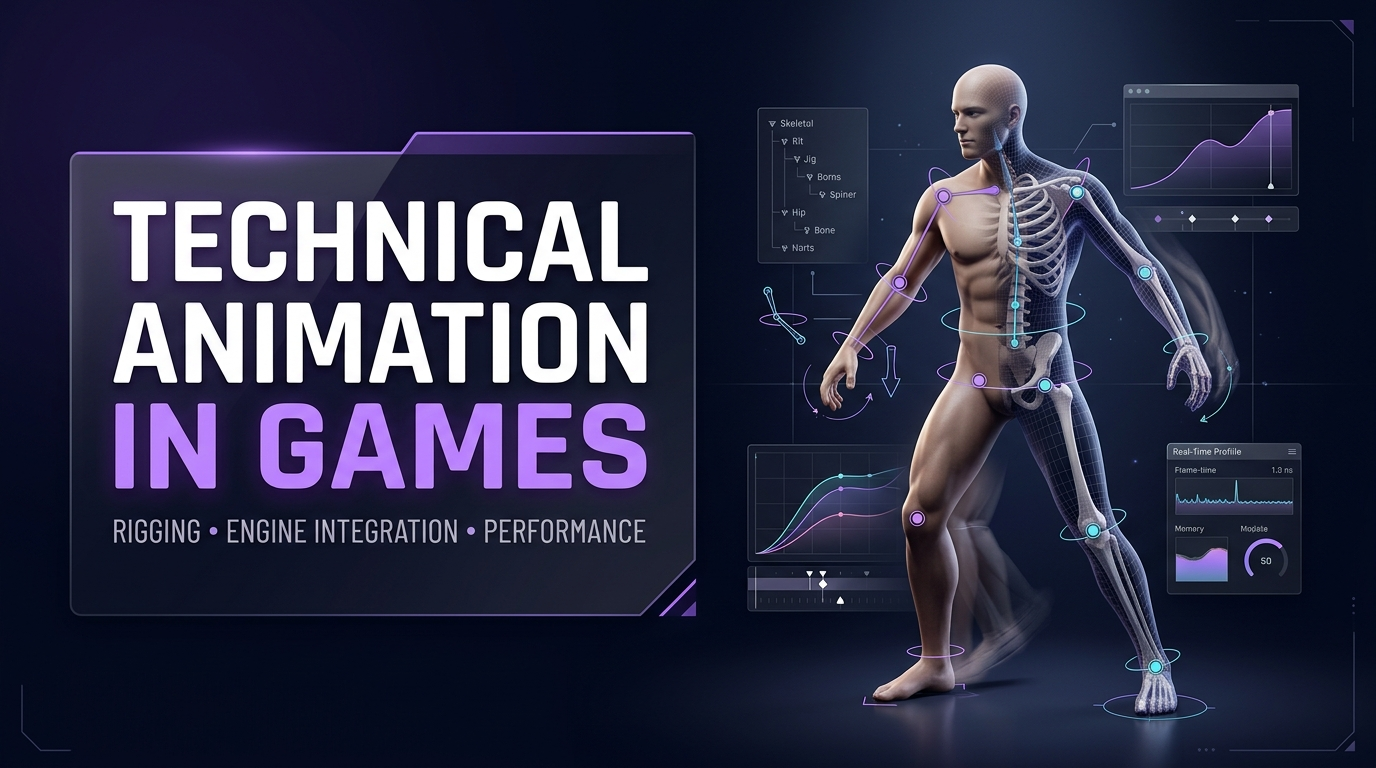
Somewhere in every studio, there is a person who gets blamed for two opposite things. Animators say the character looks stiff because “the rig is fighting me.” Engineers say the frame rate is dropping because “the animation system is heavy.” That person sits between the two camps, speaks both languages, and fixes the problem before either side finishes complaining. The job title is technical animator, and the discipline is one of the least understood and most valuable in game production.
This guide explains what technical animation game teams rely on every day: how rig constraints work, how animation gets from a DCC tool into a running engine, and how to keep real-time characters inside a performance budget. It is organized around the three jobs this work really does: build the rig, bridge the engine, and budget the cost.
The Missing Link Between Art and Code
Animation in games is not a video. It is a system. Clips blend, layers overlay, IK solvers adjust feet to uneven ground, constraints keep a sword in a hand, and all of it runs inside a few milliseconds of frame time alongside everything else the game does. Someone has to design that system, and the skill set needed sits between disciplines:
- Enough art sense to know when a pose or a deformation looks wrong.
- Enough rigging skill to build controls an animator can use and a skeleton an engine can read.
- Enough engineering sense to understand how the engine evaluates animation, where it spends time, and what breaks at runtime.
Studios that fill this seat early ship smoother characters with fewer last-minute fires. Studios that skip it spread the same work across animators and programmers who each understand half of the problem, and the result is predictable: bugs that bounce between departments for weeks.
Job One: Build the Rig
A rig is the control structure that lets animators move a character. Technical animation starts here, because every later problem is easier to solve if the rig was built with the engine in mind.
The skeleton is a contract.
The skeleton, the hierarchy of joints that the engine actually reads, is the one part of a rig that must stay stable. Every animation clip is recorded against it. Rename a bone, change its orientation, or reorder the hierarchy after animators start working, and existing clips can break, retargeting can fail, and gameplay code that references bone names can crash. Treat the skeleton as versioned, announce changes, and lock it before production animation begins.
Standard humanoid skeletons carry a major advantage: they work with retargeting systems, so animation can be shared across characters. A good production rule is to use a shared base skeleton for every humanoid in the game and add extra joints only where a character truly needs them.
Controls versus joints
Animators rarely touch the skeleton directly. They work with controllers, handles that drive the joints through constraints and solvers. The control rig lives in the DCC tool, such as Maya or Blender, and is built for animator comfort. The deformation skeleton is what exports to the engine. Many custom controls, constraints, and IK behaviors do not survive FBX export, so studios keep the authoring file as the source of truth and export a clean skeleton and baked animation from it.
Constraints: the building blocks
Constraints are rules that link one object’s motion to another’s. A short vocabulary covers most of production:
| Constraint | What It Does | Typical Game Use |
| Parent | Makes one object follow another’s position and rotation | Props attached to hands, holsters, backpacks |
| Point | Matches position only | Hip anchors, floating UI markers on characters |
| Orient | Matches rotation only | Twist joints, head follow |
| Aim | Rotates an object to point at a target | Eye tracking, head look-at, turrets |
| Two-bone IK | Solves a limb from a target position | Hands on weapons, feet on ground |
| Chain IK | Solves a longer chain toward a target | Tails, tentacles, spines |
| Damped or spring | Adds lag and follow-through | Hair, capes, antennae, accessories |
Two ideas deserve emphasis. First, IK and FK serve different purposes. Inverse kinematics suits limbs that must hold a fixed position, like a hand gripping a weapon or a foot planted on a step. Forward kinematics suits arcing, flowing motion like a swinging arm or a gesture. Production rigs typically include an IK/FK switch on each limb so animators can choose per shot. Second, constraints need limits. An eye aim constraint without rotation limits will cross a character’s eyes the moment a retargeted animation pushes it past a sensible range.
Corrective deformation
Joints bend meshes, and simple skinning has well-known failure modes: collapsing elbows, pinched shoulders, candy-wrapper twists in forearms. The people in this seat fix these with corrective shapes driven by joint angles, extra twist joints, or pose-space solutions. The trade-off is cost. Every correction costs memory or evaluation time at runtime, so the decision of where to spend it is a budget decision, not an aesthetic one. Hero characters get the full treatment. Background characters get the minimum that survives scrutiny.
What Can Actually Be Outsourced?
Game art outsourcing covers a wide range of disciplines: 2D and 3D character design, environment art, UI and UX design, concept art, marketing and key art, animation, and technical art like rigging and shader work. A studio can outsource a single asset category or run an entire art pipeline through an external partner, depending on internal capacity and budget.
Job Two: Bridge the Engine
A rig that works in Maya and fails in the engine is an unfinished rig. Animation engine integration is the process of getting skeletons, meshes, and clips into the game, then wiring them into the systems that play them. This is where most technical animation bugs live.
What survives export?
FBX remains the standard handoff for skeletons, meshes, and animation, with glTF and USD gaining ground in some pipelines. The rules of thumb:
- Bind pose matters. The skeleton must export with a clean bind pose, because the engine uses it as the reference for skinning.
- Custom controls do not travel. Anything built from constraints and custom attributes needs baking to joint keys before export.
- Clips need clear ranges. Every exported animation needs defined start and end frames, and loops need matching first and last poses.
- Root motion needs a decision. Root motion must be baked or extracted as a curve so the engine can read it, and the team must decide if the animation or the gameplay code drives movement.
- Units and axes must agree. Scale and orientation mismatches are the oldest import bug in the industry.
Unity and Unreal take different approaches.
Both major engines can play almost anything an animator makes. Their animation systems differ in philosophy, and the specialist on the project needs to know which one it uses.
| Area | Unity | Unreal Engine |
| Core system | Animator Controllers with parameter-driven transitions, plus Playables for custom graphs | Animation Blueprints, with more logic inside the animation system itself |
| Blending | Blend Trees in 1D and 2D variants, layers with Avatar Masks | Blend Spaces in 1D and 2D, layered blends, slots and Montages |
| Runtime procedural rigging | Animation Rigging package: Two Bone IK, Multi-Aim, Chain IK, Damped Transform and more | Control Rig, plus built-in IK solvers such as Full Body IK, Two Bone IK, CCDIK, and FABRIK |
| Retargeting | Humanoid Avatar system, mapping to a standard skeleton of up to 55 bones | IK Rig and IK Retargeter, skeleton-agnostic, chain-based |
| Motion matching | Third-party solutions, since the experimental Kinematica package was deprecated | Native through the PoseSearch plugin, available in recent releases |
| Compression | Optimal and Keyframe Reduction modes | ACL plugin with per-animation and per-bone error tolerances |
Unity’s Animation Rigging package is built for runtime procedural animation rather than authoring. It lets teams build deformation rigs for secondary motion, such as armor and accessories, and world interaction rigs, such as aim and IK corrections that also help hide compression artifacts. Unreal’s Control Rig goes further into in-engine authoring, which lets riggers build and adjust rigs without leaving the editor.
Retargeting: reuse without ruin
Retargeting maps animation from one skeleton to another, and it is how a studio gets hundreds of enemy variants out of a handful of base animation sets. Three mismatches cause nearly every failure: bone names, rest pose orientation, and limb proportions.
| Symptom | Likely Cause | Fix |
| Joints ignored or twisting | Bone name or mapping mismatch | Fix the avatar or chain mapping, and check required bones |
| Character leans forward or back | Rest pose mismatch, for example A-pose against T-pose | Align source and target retarget poses before anything else |
| Feet slide | Leg length differs between source and target | Use stride warping or an IK foot-planting pass |
| Hands clip through the body | Arm length differs from the source performer | Correct translation-driven motion for proportions |
| Fingers do not move | Retargeters often skip finger chains | Add finger chains or map finger bones manually |
| Character stays at world origin | Root chain not mapped, or Apply Root Motion off | Map the root and enable root motion |
| Stiff spine | Source has more spine bones than target | Distribute spine rotation across the fewer target bones |
Aligning the source and target rest poses is the single most skipped step and the cause of most visibly broken retargets. Make it step one.
Job Three: Budget the Cost
Animation costs frame time and memory, and both are finite. Real-time animation is a negotiation with the hardware, and the person holding the budget is usually the one who built the rig.
Where does the cost come from?
- Skeleton evaluation. Every bone is evaluated every frame the character is active, so bone count multiplies across a crowd.
- Skinning. The GPU or CPU transforms every vertex by its bone weights. More influences per vertex mean more work, which is why four influences per vertex is a common ceiling in real-time engines.
- Blending. Each active clip, layer, and blend node adds evaluation cost. A deep graph blending a dozen clips at once costs real milliseconds.
- K and procedural solvers. Useful, and not free. Full body IK on every background character adds up quickly.
- Blend shapes. Facial shapes cost memory that scales with both vertex count and shape count. Mobile projects often cap them at a few dozen per character.
- Animation data. Clips take memory. Dense captured curves are the biggest offenders.
The levers
| Lever | What It Does | Trade-off |
| Skeleton LODs | Reduce joint count on distant characters, typically through several LOD levels | Each LOD needs its own bind pose and skin weights at export |
| Animation LOD and update throttling | Update distant or off-screen characters less often | Visible popping if thresholds are too aggressive |
| Compression | Reduces clip memory by removing redundant keys and quantizing data | Error tolerances need tuning per bone, since a foot needs more precision than a finger |
| Influence limits | Cap bone influences per vertex | Limits deformation quality on complex joints |
| Shape budgets | Cap blend shapes per character tier | Limits facial expression range |
| Shared animation sets | Reuse clips across characters through retargeting | Needs compatible skeletons |
| Culling | Skip evaluation for characters out of view | Animation state may need handling on return |
Joint-based solutions are usually cheaper at runtime than blend shapes for the same motion. A jaw driven by a joint costs less than a corrective blend shape set doing the same job, which is why this decision belongs at rig design time.
Measure, then trim
Game rig optimization works like any other optimization: profile first. Both engines provide profilers that break down animation cost by system, and the same discipline applies as everywhere else in performance work: check the worst case, check target hardware, change one thing, and measure again. Our guides to Unity mobile optimization and Unreal Engine game development cover the profiling workflows in detail, and animation budgets belong in the same conversation as texture and draw call budgets.
How the Three Jobs Fit Together?
Consider a single character moving through a production, and note where each job touches it.
- Concept approves the design. The specialist reviews it for deformation risk: loose capes, extra limbs, unusual proportions.
- Modeling delivers a mesh. This role checks topology around the joints and the face before it is too late to change.
- Rigging builds the skeleton and controls. Joint count, influence limits, and naming follow the budget.
- Animation begins. The skeleton is locked, and animators work against stable controls.
- Integration wires the character into the engine. Blend graphs, state machines, IK, and retargeting are set up and tested in play.
- Optimization trims the cost. LODs, compression, and throttling are tuned on target hardware.
- Maintenance never stops. New abilities, new weapons, and engine upgrades keep generating small problems.
The earlier this specialist joins the chain, the fewer expensive surprises appear at the end of it.
Where Technical Animation Goes Wrong?
| Failure | How It Shows Up | Prevention |
| Rig changes mid-production | Animations break, retargeting fails | Lock and version the skeleton |
| Rigs built without the engine | Constraints and controls that do not export | Test an export on day one |
| No bone or shape budget | Characters that cannot ship on target hardware | Write the budget in pre-production |
| Skipping rest pose alignment | Retargeted animation looks broken everywhere | Make pose alignment the first retargeting step |
| Everything gets hero treatment | Crowds that tank frame rate | Tier characters by importance |
| Integration owned by nobody | Bugs bounce between art and code | Assign a named owner |
Hiring, Outsourcing, and Planning
Studios have three options for this work. A full-time specialist makes sense for teams with continuous character production. Contract specialists suit studios with bursts of work, such as a rig overhaul or a new character class. Outsourcing to an animation partner suits teams that need a complete pipeline without building one.
Whichever route fits, plan the work early. Rigging a standard humanoid body takes a few working days in a well-prepared pipeline, and a full face rig adds several more. Those numbers expand quickly for unusual anatomy, large rosters, or complex facial work. Engine integration and optimization add time on top, and iteration never really finishes. Teams that budget rig time and integration time explicitly, instead of treating them as part of “animation,” tend to finish on schedule.
Cobweb Games’ Approach to Technical Animation
Technical animation at Cobweb Games begins in pre-production. We write the skeleton standard, the bone and shape budgets, and the export checklist before the first character is modeled, then validate them with one character taken through rig, export, and in-engine playback. Studios working with us on 3D animation get rigs that export cleanly, skeletons that stay stable, and clips that blend correctly in the engine they will actually ship on.
Our game animation work covers the full chain, from rigging through animation to engine setup and performance tuning, so there is one team responsible for the result instead of three teams pointing at each other. For technical animation game projects that include facial work, we plan the rig and the performance budget together, since the two decisions are the same decision.
Common Technical Animation Mistakes
Treating the skeleton as flexible. Every change after animation starts has a cost that grows daily.
Building controls that cannot export. Custom rigs need a baking and export plan before animation begins.
Skipping budgets. Without bone, shape, and clip limits, every character becomes a negotiation.
Retargeting without aligning poses. It looks fine on one clip and falls apart across a library.
Giving every character the same rig. Tier by importance and screen time.
Ignoring compression. Raw curves bloat builds, and tuned compression is almost free quality.
Testing only in the DCC tool. The only test that counts happens in the engine.
Frequently Asked Questions
What does a technical animator do in a game studio?
This specialist builds rigs and tools, makes sure animation exports and plays correctly in the engine, and keeps character animation inside performance budgets. The role links animators, riggers, and engineers.
What is the difference between a rigger and this role?
A rigger builds the skeleton and controls. The technical side covers that and the rest of the chain: engine integration, animation systems like blend trees and IK, retargeting, and runtime performance. Some studios use the titles interchangeably.
Why do rigs break when I import them into the engine?
Usually because custom controls, constraints, or attributes do not survive FBX export, or because the bind pose, scale, or axis settings do not match. Bake animation to joints and export a clean deformation skeleton.
Should I use IK or FK for game characters?
Both. IK suits limbs that must hold a position, such as hands on weapons and feet on the ground. FK suits arcing, flowing motion. Most game rigs include an IK/FK switch on each limb.
How many bones should a game character have?
It depends on platform and importance. Mobile characters often use a few dozen bones, and console and PC hero characters use many more. Set the budget per character tier in pre-production and enforce it.
How do I reduce animation cost in a crowd scene?
Use skeleton and animation LODs, throttle updates for distant characters, share animation sets through retargeting, tune compression, and cull characters outside the view. Profile on target hardware to find the actual hot spots.
