
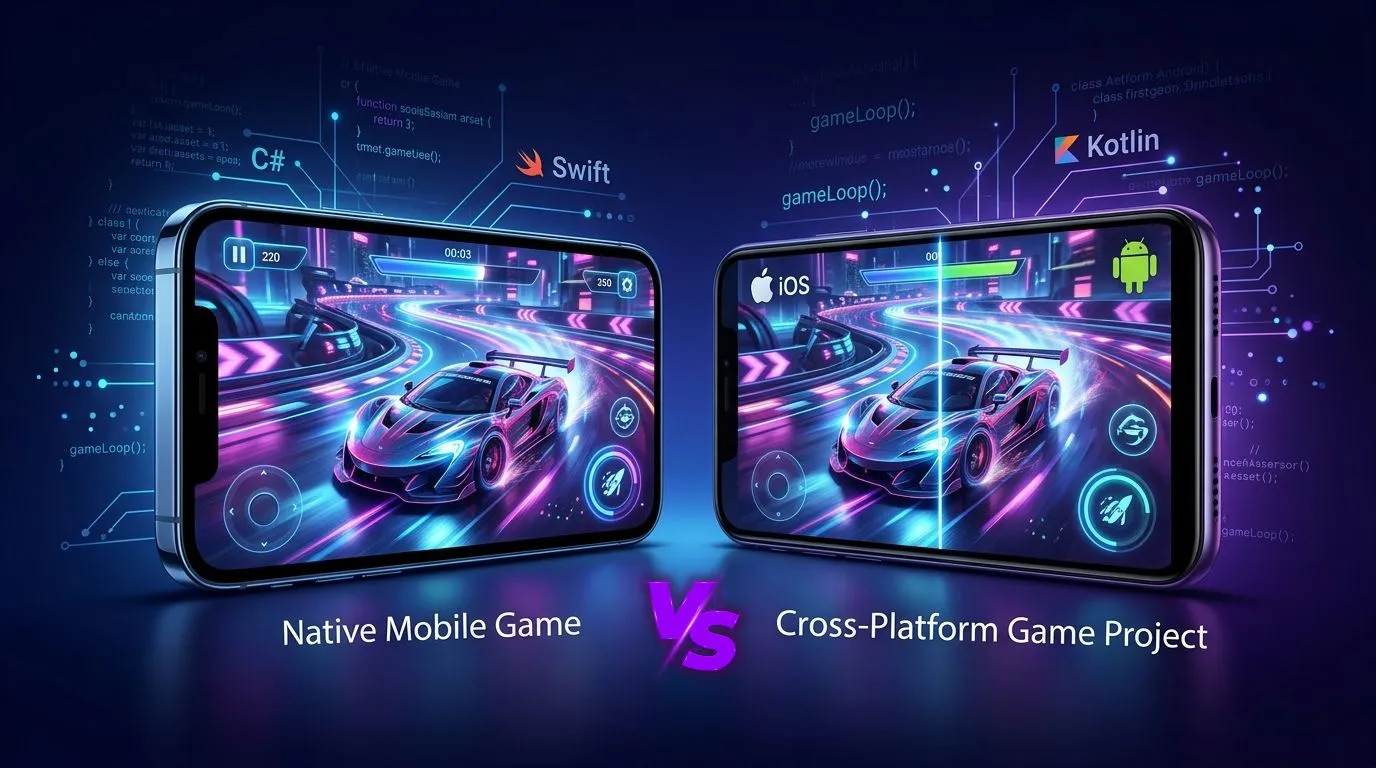
Every studio meets this fork in the road around the third meeting of a new project. One engineer wants Swift and Kotlin because “real” games are built close to the metal. A producer wants one codebase because the budget has a number on it and the number is small. Both people are partly right, which is why the meeting runs long.
The native vs cross-platform games question rarely has a universal winner, and anyone selling you one is selling something. It has a winner for your game, your team, and your launch calendar. This guide works through three questions that settle most cases, then covers the performance reality, the cost reality, and the hybrid options in between. Market figures are dated and sourced, because platform economics shifted again in 2026 and last year’s rule of thumb is a risky foundation for a budget.
The Short Answer First
In the native vs cross-platform games debate, most mobile games should ship on a cross-platform engine. A smaller group of games, usually those that lean hard on platform-specific hardware or that live on a single platform by design, are better built natively. The table gives the default lean, and the sections after it explain how to tell which group your project belongs to.
| Situation | Default Lean | Reason |
| Launching on iOS and Android together | Cross-platform | One game logic codebase, two store builds |
| Single platform exclusive with deep OS features | Native | Direct access to platform APIs and tooling |
| Small 2D casual game | Cross-platform | Engine templates cover almost everything |
| High-fidelity 3D with custom rendering | Depends | Engine speed against bespoke renderer control |
| Live service with frequent content drops | Cross-platform | Shared content pipeline and tooling |
| Utility-style game with heavy OS integration | Native or hybrid | Widgets, system UI, and background behavior |
Treat the lean as a starting bet. The three questions below are how you confirm it or overturn it.
What “Native” Means for Games in 2026?
Native mobile games are written in each platform’s own languages against its own graphics stack. On iOS, that usually means Swift with Metal. On Android, it usually means Kotlin or C++ with Vulkan or OpenGL ES, often with Google’s Android Game Development Kit supplying the game-specific plumbing.
Native does not mean “no tools.” Apple’s current games documentation highlights Metal 4, the MetalFX upscaler, an improved Metal debugger in Xcode, and Game Porting Toolkit 4, which exists to cut the time and cost of bringing games to Apple platforms. Google’s side offers libraries such as the Frame Pacing library, known as Swappy, which handles smooth frame delivery for both OpenGL ES and Vulkan. These tools are excellent. They also have twice the learning curve, because each one only works on its own platform.
That is the real price of going native. Studios that choose native mobile games for a two-platform launch are signing up for two of everything. You do not buy a better game for free; you buy two parallel codebases, two skill sets, and two sets of bugs.
What Can Actually Be Outsourced?
Game art outsourcing covers a wide range of disciplines: 2D and 3D character design, environment art, UI and UX design, concept art, marketing and key art, animation, and technical art like rigging and shader work. A studio can outsource a single asset category or run an entire art pipeline through an external partner, depending on internal capacity and budget.
What “Cross-Platform” Means in Practice?
Cross-platform mobile development means authoring game logic, content, and rendering setup once, then building for both stores from the same project. In games, this almost always means a game engine, rather than a UI framework adapted to games. The engine handles rendering across Metal, Vulkan, and OpenGL ES behind a common layer.
The landscape of mobile game engines is dominated by a few names. One 2026 roundup from AppRadar, compiling survey and industry data attributed to SplitMetrics, estimates the following shares among active mobile developers. Developers often use more than one engine, so the column adds to more than 100 percent, and the source itself is a secondary compilation, so read it as direction rather than precision.
| Engine | Estimated Share | Typical Fit |
| Unity | 48% | Broadest mobile toolchain, strong ad and analytics SDK support |
| Unreal Engine 5 | 17% | High-end visuals on capable phones |
| Godot | 14% | Open-source, royalty-free, strong for 2D and lighter 3D |
| Cocos Creator | 9% | Common for lightweight games and mini-game ecosystems |
| GameMaker | 6% | 2D focused |
| SpriteKit (Apple-native) | 3% | Apple-only 2D |
Notice the last row. Even in a roundup about engines, the truly Apple-native option holds a sliver. The market has voted, loudly, with its build pipelines. In the native vs cross-platform games contest, engines hold the large majority of active developers.
Question One: What Does the Game Need From the Hardware?
Start with the game’s demands. Ask what the game must do that a mainstream engine cannot do well.
Most games, even handsome 3D ones, sit comfortably inside what Unity, Unreal, or Godot can deliver on modern phones. The exceptions are specific:
- Custom rendering techniques that fight the engine’s pipeline, such as an unusual lighting model, a voxel renderer, or a scene representation no engine templates exist for.
- Tight integration with platform features at the OS level: home screen widgets, live activities, system-level audio routing, or background behavior beyond what plugins expose.
- Extreme binary size or startup constraints, where an engine runtime itself is a meaningful share of the download.
- Platform-specific hardware features that a plugin has not caught up to yet.
If your answer to “what does the game need?” is a shrug, the engine route is almost certainly fine. If the answer is a specific, nameable capability that a plugin cannot supply, native earns a serious look for at least that part of the project.
Question Two: How Many Platforms, and How Soon?
This is the question where budgets speak, and general app development habits mislead. Business apps can get away with thin wrappers around web views; games cannot. Shipping on iOS and Android natively means building and testing the game twice. Shipping from one engine project means building the game once and testing it on two platforms, which is a smaller bill but never a zero bill.
The market backdrop makes the cost question sharper. Sensor Tower’s H1 2026 gaming report, as summarized by PocketGamer.biz, put global mobile game in-app purchase revenue at about $40 billion, down 2 percent year over year, while downloads fell 12 percent to roughly 24 billion. Digital ad spend in games rose 8 percent to $7 billion. A market where downloads shrink and revenue is flat punishes studios that spend their runway on duplicate engineering. It rewards the ones who ship earlier, learn from live data, and iterate.
Reach matters here too. As covered in our Android vs iOS comparison, Android dominates installs while iOS dominates per-user spending. A single-platform native launch means choosing which half of that equation to forfeit at launch. Cross-platform builds let a studio test both audiences from day one.
Question Three: Who Maintains This in Year Three?
Launch day is the cheap part. Games live for years, and each year brings new operating system versions, new device quirks, store policy changes, and SDK updates. Native means two maintenance streams. Each requires engineers fluent in that platform’s language and tools, and each moves on its own schedule.
On the engine side, maintenance concentrates in one place. Engine upgrades are a project in themselves, and plugin breakage is a real hazard, but the work happens once and benefits both platforms. Apple has even published StoreKit plug-ins for Unity, which is a notable sign that platform owners now meet developers where the engines are.
Team structure matters just as much as code. A studio with three engineers and a rotating contractor cannot reasonably keep two native codebases healthy. A studio with a dedicated iOS squad and a dedicated Android squad can, and may prefer it.
Performance: Where Native Wins and Where the Gap Closes?
The strongest argument for native is performance headroom, and it deserves a fair hearing. A native renderer carries no general-purpose engine overhead, and an engineer who knows Metal or Vulkan well can squeeze impressive results from a chip.
Three realities take the edge off that argument for most games:
- Most mobile performance problems are content problems. Overdraw, oversized textures, too many draw calls, and garbage collection spikes sink games on every stack. Fixing them is a discipline question rather than a language question. Our Unity mobile optimization guide covers the usual culprits.
- Engines already integrate the platform tools. Unity, for example, exposes Android’s frame pacing through the Optimized Frame Pacing setting in the Android player settings, available from Unity 2019.2 onward. That means a Unity game gets Swappy-style smoothness without anyone writing native code.
- Frame pacing and thermals dominate perceived quality. Google’s frame pacing documentation shows how a 30 FPS game on a 60 Hz display can stutter through uneven frame times such as 49 ms, 16 ms, and 33 ms. The fix is a delivery strategy, which both native and engine games can adopt. Google’s documentation also cites the game Mir 2, which used the library to cut its slow session rate from 40 percent to 10 percent.
The lesson of the native vs cross-platform games performance debate is that native gives you the ability to optimize anything, while an engine gives you most of the optimization already done. Few games outgrow the engine’s headroom before they run out of content budget.
Platform Features and SDK Access
A frequent worry is that engines lag behind platform features. Sometimes they do, for weeks or months after an OS release. Most platform capabilities that games care about, such as in-app purchases, push notifications, game services, haptics, and ad networks, ship with mature plugins or official SDK support.
The gap appears at the edges. A brand-new OS feature may need a custom plugin, and writing one means a small piece of native code (Swift or Kotlin) wrapped for the engine. That is the sensible compromise: engine for the game, native for the sliver that needs it. It is also the reason a cross-platform team still benefits from at least one engineer who is comfortable in native code.
Cost Comparison
The native vs cross-platform games cost gap is mostly a programming and QA gap.
Costs vary enormously by scope, so no table can price your project. What it can show is where the money goes.
| Cost Area | Native (Two Platforms) | Cross-Platform Engine |
| Core game programming | Written twice | Written once |
| Art and content pipeline | Often duplicated tooling | Shared pipeline |
| QA and device testing | Two full test passes | One logic pass plus per-platform device checks |
| Engine licensing | None | Depends on engine and revenue tier |
| Platform feature work | Direct and fast | Plugin or small native wrapper |
| Long-term maintenance | Two streams | One main stream plus plugins |
The licensing line deserves a note. Unity cancelled its controversial Runtime Fee in 2024 and returned to a seat-based subscription model, according to Unity’s own announcement. Unreal has a royalty after a revenue threshold, and Godot is MIT-licensed with no royalties or seat fees. Terms change, so check the current pricing pages before budgeting. Licensing is a real cost, but it is usually smaller than the cost of writing a second game.
The Hybrid Path: Native Shell, Engine Core
Between the two camps sits a practical middle. In this model, the engine drives the game itself, while a thin native layer handles platform integration, such as account sign-in, store features, system share sheets, or app extensions.
This pattern suits studios that want engine speed for gameplay and native polish at the OS boundary. It does add a bridge to maintain, so it pays off only when the platform features are meaningful. A match-three game with a daily reward widget might justify it. A hyper-casual runner almost certainly does not.
Genre Cheat Sheet
Different genres lean in predictable directions.
| Genre | Typical Choice | Why |
| Hyper-casual | Cross-platform | Speed to market and ad SDK support |
| Puzzle and match-three | Cross-platform | Shared content tools for live events |
| Mid-core RPG and strategy | Cross-platform | Large content pipelines |
| Racing and action 3D | Cross-platform, optimized | Engine rendering is strong enough |
| Companion or utility game | Native or hybrid | Heavy OS integration |
| Apple-only premium title | Native possible | Single platform and deep feature use |
Genre sets a default, but team skills and timeline can override it.
Cobweb Games’ Approach to Mobile Builds
Our studio treats this as an engineering decision with a paper trail, rather than a loyalty. For most projects, we recommend a cross-platform engine, and our mobile game development team builds in Unity for the majority of client work, because the mobile toolchain, ad SDK support, and hiring pool are the strongest available. Our Unity game development specialists handle platform-specific plugins and optimization, and when a project demands high-end visuals, our Unreal Engine game development team steps in.
Before any commitment, we run a game prototyping sprint. A prototype on the candidate stack answers the performance question with evidence, which beats a whiteboard debate every time. If a team starts with a small prototype or a full production plan, the app development decisions made early shape every later cost. Teams exploring the wider picture can browse our full game development services.
Common Mistakes in the Native vs Cross-Platform Decision
- Choosing native for prestige. Players cannot tell which language the game was written in. They can tell if it stutters, crashes, or ships six months late.
- Choosing cross-platform without a device plan. One codebase still needs real device testing across both platforms. Our game testing service exists because simulators lie.
- Ignoring the maintenance bill. The second codebase costs more in year three than in month one.
- Treating the engine as a black box. Teams that never learn the engine’s profiler leave performance on the table.
- Skipping the prototype. Benchmarks from a forum post tell you about someone else’s game.
- Forgetting store economics. Fees, review rules, and policy shifts affect the business case as much as the tech stack does.
Frequently Asked Questions
Is native always faster than cross-platform for mobile games?
Native code has no engine overhead, so a skilled team can reach lower-level performance. Most games hit content limits long before engine limits, though, so the visible difference is often small. Profiling the actual game settles the matter.
Which cross-platform engine is best for mobile games?
Unity is the most widely used for mobile and has the broadest SDK and plugin ecosystem. Unreal suits high-fidelity 3D on stronger devices. Godot offers an open-source, royalty-free path that works well for 2D and lighter 3D. The best choice depends on genre, team skills, and licensing terms.
How much does it cost to build a game natively for both iOS and Android?
Expect roughly the engineering effort of two games, since the code is written twice. Art and design can be shared, but programming, QA, and maintenance double. For cross-platform mobile development, a prototype and scoping session gives a realistic range for a specific design.
Can I start cross-platform and add native features later?
Yes. Most engines support native plugins, so you can wrap platform-specific code for the features that need it. This is the common route for games that need widgets, deep links, or system-level integrations.
Does cross-platform mean worse quality?
It means a different set of tradeoffs. Well-built engine games dominate the app store charts. Quality depends on art, performance work, and testing far more than on the language underneath.
Should a startup go native or cross-platform?
A startup with a small team and limited runway almost always benefits from one engine and one codebase. It allows earlier launch, faster iteration, and testing both audiences before committing more budget.
Do Apple and Google treat engine games differently from native games?
Both stores review games by content, behavior, and policy compliance, not by the tools used to build them. Both also publish tooling and SDK support that targets popular engines directly.
Outsourcing Done Right Looks Like a Second Studio, Not a Vendor
The studios that get the most out of game art outsourcing stop treating it as a transaction and start treating it as an extension of their own team. That means a real brief, a real feedback loop, and a partner chosen for fit rather than the lowest quote on the page. Cobweb Games works as exactly that kind of extension, running as an integrated art department for studios that need production capacity without the overhead of building one internally.
