
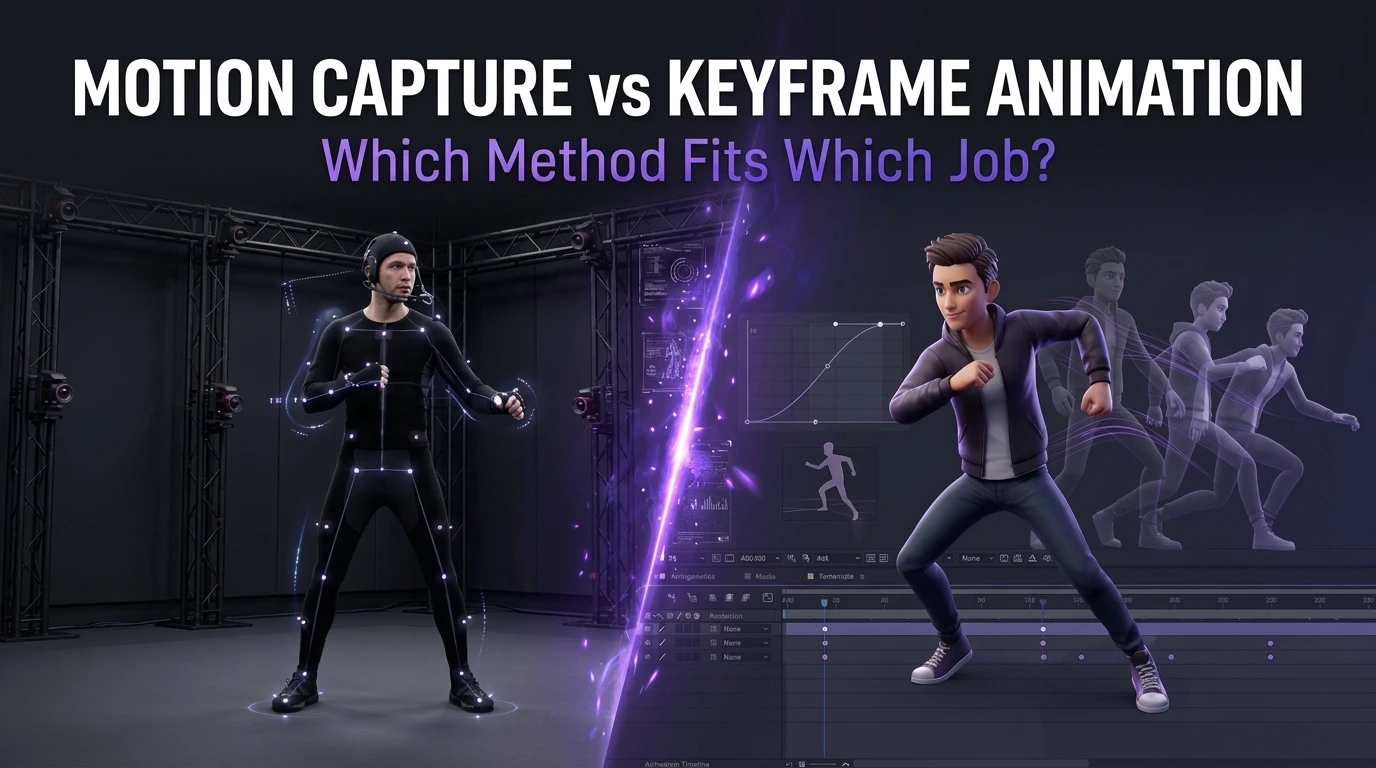
Ask ten animators to pick a side in the motion capture vs keyframe animation debate, and you will get ten speeches. Ask them which method they would use for a specific shot, and the speeches shrink to one-word answers, because the job usually points to the method. A shambling zombie horde, a hero’s final speech, a cartoon frog’s jump, and a menu button all want different tools.
This guide skips the abstract argument and works through eight concrete animation jobs, giving a verdict for each, then covers the cost math, the hybrid workflow most studios end up with, and a short decision checklist. Prices come from published vendor guides and are labeled as such, because no neutral industry price list exists. The mechanics of capture sessions are a separate subject, so this article stays focused on choosing.
The Two Methods in One Paragraph Each
Motion capture records real movement and transfers it to a digital skeleton. Optical systems track reflective markers with many cameras. Inertial systems use body-worn sensors. Markerless systems extract motion from ordinary video using software. The raw result is realistic and fast to produce, and it always needs cleanup, retargeting to the game character’s proportions, and editing to fit the game’s needs.
Keyframe animation is built by hand. An animator sets key poses on a timeline and shapes the motion between them, controlling timing, spacing, and exaggeration frame by frame. Nothing is recorded, so everything is authored, which makes it slower per second of animation and gives total control over the result.
Neither method is a shortcut. Motion capture shifts effort from posing to cleanup and direction, and keyframing keeps effort in the animator’s hands from the first frame.
Eight Jobs, Eight Verdicts
The motion capture vs keyframe animation question gets easier when each job gets its own answer.
Job 1: Everyday Locomotion for a Realistic Character
Walks, runs, turns, starts, and stops make up most of a character’s screen time. Real human movement carries subtle weight shifts and asymmetries that are tedious to author by hand.
Verdict: motion capture. A capture session can deliver dozens of locomotion variations in a day, and the realism comes built in. Animators then clean foot contacts, loop the cycles, and tune them for gameplay. A game with a stylized or exaggerated character may still prefer keyframed locomotion, which leads to the next job.
Job 2: Stylized, Exaggerated, or Cartoon Characters
A character with a huge head, rubber limbs, or a bouncing silhouette moves in ways no human performer can.
Verdict: keyframe. The principles of squash and stretch, anticipation, and overshoot belong to hand animation. Capture can serve as reference or as a base layer, but the final motion comes from animators who push poses beyond what bodies do.
Job 3: Combat and Action Moves
Combat animation needs readable silhouettes, tight timing, and impact. Designers also need clear anticipation, strike, and recovery windows.
Verdict: hybrid, leaning keyframe for final timing. Captured fights give natural body mechanics, but real fighters move too slowly or too subtly for game feel. Teams commonly capture performances for believable weight and then re-time, exaggerate, and trim them by hand so each move reads at game speed. Our 3D animation team treats capture as raw material for combat, not a finished product.
Job 4: A Hero Performance in a Cinematic
A close-up delivery of a key line, with believable breathing, small shifts, and emotional timing, is a performance, not just a movement.
Verdict: motion capture, with facial capture where the budget allows. Actors bring timing and subtlety that are difficult to invent. The MetaHuman 5.6 release notes describe real-time facial capture from mono cameras, including many smartphones and webcams, plus audio-driven animation, which has lowered the barrier for facial work. Animators then polish the result, since performance data still needs artistic direction.
Job 5: Creatures and Non-Human Characters
Dragons, aliens, and spiders have no human performer to record.
Verdict: keyframe, with reference. Animators study real animals, build custom rigs, and author the motion. Capture can help when a performer acts out a creature’s attitude, with the data retargeted loosely, but hand animation carries the final result.
Job 6: Crowds and Background Characters
Dozens of non-player characters walking, chatting, or cheering need variety but little individual attention.
Verdict: motion capture, or purchased animation packs. Variation at volume is where capture and libraries earn their keep. A modest set of captured clips, blended and offset in the engine, populates a plaza convincingly.
Job 7: Interface, Props, and Mechanical Motion
Opening doors, spinning gears, and menu transitions follow engineered or designed motion.
Verdict: keyframe or procedural. Nobody can perform a drawbridge. Hand-authored or code-driven animation gives precise, repeatable results.
Job 8: Prototype and Placeholder Motion
Teams building a vertical slice or testing gameplay need movement quickly, with little concern for polish.
Verdict: capture, libraries, or markerless video. Speed matters more than quality here. Pre-made animation packs and low-cost markerless tools let designers test feel in days, and the final animation can replace placeholders later. Our game prototyping team uses this approach often, since a rough move that plays today teaches more than a perfect move that plays next month.
Scorecard
| Job | Verdict |
| Realistic locomotion | Motion capture |
| Stylized or cartoon characters | Keyframe |
| Combat moves | Hybrid |
| Cinematic hero performance | Motion capture, plus polish |
| Creatures and non-humans | Keyframe |
| Crowds and background characters | Capture or libraries |
| Props, interface, mechanical | Keyframe or procedural |
| Prototype and placeholder | Capture, packs, or markerless |
What Can Actually Be Outsourced?
Game art outsourcing covers a wide range of disciplines: 2D and 3D character design, environment art, UI and UX design, concept art, marketing and key art, animation, and technical art like rigging and shader work. A studio can outsource a single asset category or run an entire art pipeline through an external partner, depending on internal capacity and budget.
The Cost Math, Using Published Vendor Figures
Budget is where mocap vs animation arguments usually turn emotional, so numbers help.
Cost is where the debate gets loud, so here are real numbers with their sources. MoCap Online, a motion capture equipment and services vendor, published a 2026 pricing guide. These figures come from that vendor guide and should be treated as indicative:
- Professional optical studio day rates range from $500 to $5,000, with most mid-tier studios at $1,500 to $3,000 per day.
- Facial capture adds a premium of $500 to $2,000 per day.
- Performer day rates run $200 to $600.
- Cleanup takes 2 to 8 times the raw capture time per clip, and skilled mocap editors charge $75 to $150 per hour.
- A one-day session producing 200 clips can generate 50 to 200 hours of cleanup.
- Inertial suit hardware is listed from about $2,999 for the Rokoko Smartsuit Pro II to about $15,000 to $25,000 for Xsens MVN, and markerless services start around $30 to $99 per month.
- Pre-made animation packs cost $30 to $500 each, and the guide puts a 200-plus-clip combat pack at $150 to $300, against $5,000 to $15,000 or more for equivalent custom content.
- Per-clip costs after cleanup are listed at $50 to $200 and up for professional optical studios, $5 to $50 for inertial suits, and $0.50 to $3 for pre-made packs.
The guide does not price keyframe animation, and public data on it is scarce, because rates depend heavily on style, quality, and studio. Our own planning view is that hand animation costs more per second of finished motion than captured motion for realistic subjects, and less than capture when the subject is a stylized, one-off, or non-human action that would need heavy rework anyway.
A Worked Example
Imagine a team needs 200 locomotion and interaction clips for a realistic character.
- Capture route: A one-day mid-tier studio session at $1,500 to $3,000, plus performer fees, plus cleanup. Using the vendor guide’s figures, 50 to 200 cleanup hours at $75 to $150 per hour comes to roughly $3,750 to $30,000. The total lands somewhere from the low thousands to the mid-tens of thousands, and the spread depends mostly on how clean the capture is and how much editing the game requires.
- Library route: A $150 to $300 pack for a combat set, plus a locomotion pack, plus a few days of retargeting and tuning.
- Keyframe route: Each clip authored by hand over hours or days. For 200 clips at realistic quality, the schedule alone usually rules it out unless the team is large.
The numbers show why cleanup budgets decide the real cost of capture. A cheap session that produces messy data can cost more than a good session that produces clean data.
Quality: Where Each Method Shines and Struggles
| Quality Factor | Motion Capture | Keyframe |
| Realism of weight and balance | Excellent | Depends on animator skill |
| Subtle human performance | Excellent | Time-consuming |
| Stylization and exaggeration | Weak without heavy rework | Excellent |
| Non-human motion | Weak | Excellent |
| Timing control for gameplay | Needs retiming | Full control |
| Consistency across many clips | Strong, same performer and setup | Depends on team discipline |
| Foot sliding and contact issues | Needs cleanup | Controlled by animator |
| Iteration speed on changes | Slower (recapture or edit) | Fast for small tweaks |
Vendor material gives a taste of the technical trade-offs inside capture itself. Rokoko, a maker of inertial suits, writes in its own comparison of its suits and Xsens systems that inertial capture can drift, that its suits are more sensitive to magnetic fields than some higher-priced systems, and that Xsens generally yields smoother tracking with less post-processing. Because that article comes from a vendor with a stake, treat the comparison as a hint to test hardware in your own space, not a final ruling.
Speed and Iteration
Capture is quick at the front and slow at the back. A session produces raw material in hours, and then cleanup, retargeting, and tuning take time. Keyframe is slow at the front and fast at the back, since changing a hand-animated pose is a matter of moving a key.
This difference matters when designs change. If a designer asks for a faster attack or a longer recovery, hand-animated clips adjust in minutes. A captured clip may need retiming, editing, or a new session. Studios that expect heavy design iteration often keyframe or retime captured data early, and wait to capture until designs lock.
Engine and Pipeline Considerations
Whichever method creates the motion, the game engine needs clean, consistent data. Several practical points apply to both:
- Skeleton standards. Use one skeleton convention across the project so animation transfers between characters.
- Retargeting. Captured data comes from a performer’s proportions and must be mapped to the game character’s skeleton, a step that reveals problems with unusual body shapes.
- Compression and memory. Dense captured curves need reduction. Hand-keyed animation is naturally sparse.
- Loop and transition points. Locomotion cycles and state transitions need clean start and end poses.
- Naming and organization. Hundreds of clips need strict naming, or animators and engineers lose hours searching.
Our Unreal Engine game development and Unity game development teams standardize these rules before the first clip is made.
Performance Capture: When the Actor Is the Animator?
Performance capture extends motion capture to the whole acting job: body, face, hands, and voice recorded together so the performance stays unified. It suits story-heavy games where emotional delivery carries the scene. The strength is coherence, since an actor who speaks the line while moving produces timing that separate recording sessions struggle to match.
The demands are real. Performance capture needs a stage or a capable inertial and facial setup, direction skilled in working with actors, and a plan for retargeting a human face to a character whose proportions may differ. Teams that record voice and body separately save logistics but lose some of the natural sync, which animators then rebuild by hand. For a game with a handful of pivotal scenes, a hybrid often works best: full performance capture for the hero moments, and standard capture or keyframe for the rest.
Character Animation Techniques That Blend Both Methods
Several character animation techniques sit between the two camps and are worth knowing when comparing options.
- Motion matching. The engine searches a large database of captured clips and picks the pose that best fits the character’s current movement. It produces fluid locomotion from a big library of capture data and cuts hand-authored transitions, though it demands plenty of well-organized source material.
- Animation layering and additive poses. Hand-keyed additive layers, such as a limp, a sneak, or a tired posture, sit on top of captured base cycles to create variants cheaply.
- Inverse kinematics. Procedural solvers plant feet on uneven ground and aim hands at targets, correcting small mismatches between captured motion and the game world.
- Procedural secondary motion. Physics-driven hair, cloth, and tails add life to both captured and keyframed bases.
- Pose libraries and mirrored clips. Reusing and flipping existing clips stretches both capture and keyframe budgets.
These techniques show why the motion capture vs keyframe animation question rarely ends in a pure answer. The best results often come from a captured foundation, hand-authored intent, and procedural polish, working together.
Motion Capture vs Animation by Game Type
Different games push the balance in different directions.
| Game Type | Typical Lean | Reason |
| Realistic action-adventure | Capture-heavy with keyframe polish | Believable bodies and cinematic performance |
| Sports | Capture-heavy | Authentic athlete movement across large move sets |
| Fighting games | Keyframe-heavy or hybrid | Frame-exact timing and exaggerated impact |
| Stylized platformer or cartoon | Keyframe | Exaggeration and personality |
| Horror and survival | Hybrid | Capture for realism, keyframe for creature motion |
| Mobile casual | Keyframe or small capture libraries | Small scope and tight memory |
| Open-world RPG | Capture and libraries for volume, keyframe for key moments | Large volume of NPC and player motion |
Mocap vs animation is also a question of team skill. Capture needs people who can direct performers, manage data, and clean it. Keyframe needs animators with strong timing and posing. A studio short on either skill should plan to hire or partner for it.
The Hybrid Workflow Most Studios Reach
Studios that start with a method war often end with a workflow. A typical hybrid pipeline looks like this:
- Capture the base. Record performers for locomotion, idles, reactions, and performance beats.
- Clean and retarget. Fix contacts, remove noise, and map the data to the game rig.
- Edit by hand. Animators adjust timing, exaggerate key poses, and fix problems.
- Keyframe the exceptions. Creatures, stylized moments, props, and gameplay-critical moves are authored from scratch.
- Layer secondary motion. Hair, cloth, weapons, and facial polish are added or tuned.
- Blend in engine. State machines and blend trees combine clips for responsive control.
A common rule of thumb in production is to capture for believability and keyframe for intent. Capture supplies the human truth, and keyframing supplies the design.
Decision Checklist
For any motion capture vs keyframe animation decision, walk through these questions in order.
- Is the character human-proportioned and realistic? If yes, lean capture. If no, lean keyframe.
- Does the motion need exaggeration or stylization? If yes, keyframe or heavy hybrid.
- How many clips are needed? More than a few dozen of the same family points to capture or libraries.
- Are designs stable? If designs will change often, favor keyframe or delay capture until they settle.
- What is the cleanup capacity? If the team cannot absorb cleanup, capture’s savings shrink.
- What is the budget structure? Capture costs concentrate in sessions and cleanup. Keyframe costs spread across animator time.
- Is there a performance to direct? If a scene lives or dies on an actor’s delivery, capture.
Most projects land on a mix, which is why the question to ask is which method fits each clip, not which method fits the game.
Cobweb Games’ Approach
We choose the method per animation set, not per project. Our game animation producers begin by cataloging every clip a game needs, then assigning each one a method based on style, volume, and iteration risk. We test one representative clip both ways when the answer is unclear, which usually takes a day and resolves the argument with evidence. Because we offer capture direction, keyframe animation, and engine integration under one roof, the handoff between methods stays smooth, and the animators who clean captured data are the same ones who keyframe the exceptions.
Common Mistakes When Choosing Between Mocap and Keyframe
- Treating capture as free animation. Cleanup often costs more than the session.
- Capturing before designs lock. Late design changes turn captured libraries into rework.
- Forcing keyframe on realistic bulk work. Hundreds of walk variations by hand burn schedule for little gain.
- Using capture on stylized characters without a rework plan. Realistic motion on a cartoon body looks wrong.
- Ignoring retargeting. Proportion differences between performer and character cause sliding and bent limbs.
- Skipping the test clip. One day of testing prevents a month of arguing.
- Neglecting file organization. Poor naming slows the whole team.
- Believing the method decides quality. Direction, taste, and polish decide it.
Frequently Asked Questions
What is the difference between motion capture and keyframe animation?
Motion capture records real movement and applies it to a digital character, while keyframe animation is built by hand with poses set on a timeline. Capture gives realism and speed. Keyframing gives full control and suits stylized or non-human motion.
Is motion capture cheaper than keyframe animation?
For large volumes of realistic human motion, it often is, especially with libraries or inertial suits. A vendor pricing guide lists per-clip costs from about $0.50 to $3 for packs, to $50 to $200 and up for professional optical studios, after cleanup. For stylized or one-off animation, keyframing can be cheaper because capture would need heavy rework.
Does motion capture need cleanup?
Yes. A published vendor guide puts cleanup at 2 to 8 times the raw capture time per clip, and notes that a day producing 200 clips can generate 50 to 200 hours of editing. Cleanup fixes noise, foot contacts, and retargeting problems.
Can you mix motion capture and keyframe animation?
Yes, and most studios do. A common approach is to capture the base performance, then keyframe over it to adjust timing, exaggerate poses, and fix problems.
Which is better for games, motion capture or keyframe?
Neither wins across the board. Realistic locomotion and performance favor capture, stylized and creature animation favor keyframe, and combat often uses a hybrid. The choice should be made clip by clip.
Can small teams use motion capture?
Yes. Inertial suits, markerless video tools, and animation packs have lowered the barrier. Vendor pricing lists hardware from about $2,999 and markerless services from about $30 to $99 per month, though cleanup time remains the main cost.
Is facial animation captured or keyframed?
Both are used. Tools such as MetaHuman Animator capture facial performance from mono cameras, including many smartphones, and animators refine the result. Stylized faces often rely more on hand-authored blend shapes.
