
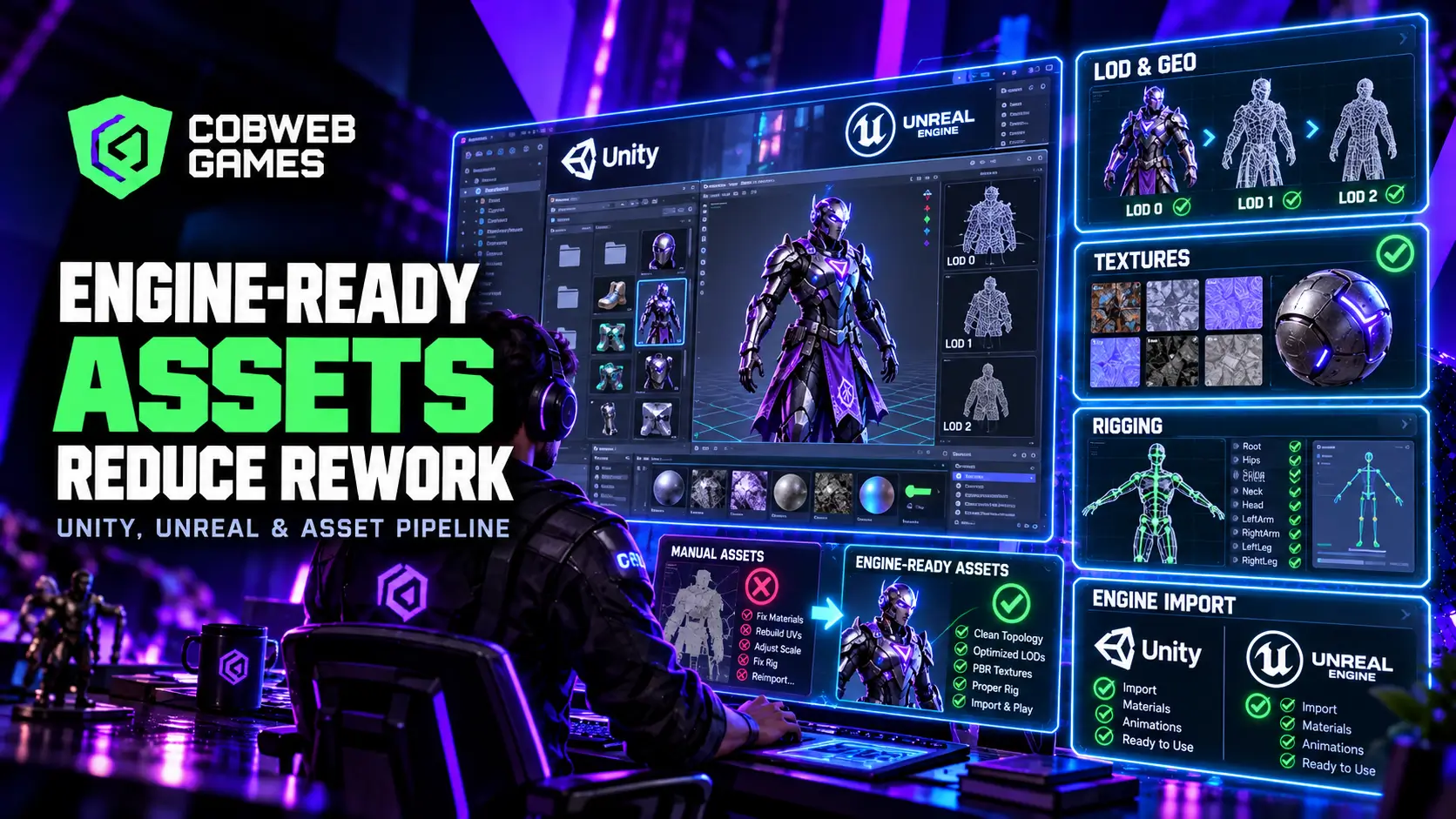
A character model that looks stunning in a portfolio render can still blow up a production schedule the moment it gets dropped into an actual game engine. Wrong pivot point, unbaked normals, a texture set that ignores the shader model the project actually uses, and suddenly an artist who should be building the next asset is instead rebuilding the last one. Engine ready game assets exist specifically to prevent this exact failure mode, and understanding what separates a genuinely production-ready asset from one that merely looks finished is the difference between a studio that ships on schedule and one that spends half its budget fixing avoidable mistakes.
What “Engine-Ready” Actually Means?
An engine-ready asset is one that can be imported directly into a game engine and function correctly without a developer or technical artist needing to fix it first. This sounds obvious stated plainly, but it covers a surprising amount of technical ground that a purely visual review never catches.
What a genuinely engine-ready asset package includes:
- Correct geometry with LOD variants or Nanite-compatible topology already resolved, not left for someone downstream to figure out
- Collision meshes and sockets defined and named according to the project’s actual conventions
- Texture resolution, format, channel packing, and tileability matched to the shader model the target engine actually uses
- For rigged assets, a skeleton version, bone count, facial setup, and retargeting notes that match the project’s animation pipeline
- Version notes and asset metadata that let a developer trace exactly what they are importing without guesswork
The consistent theme across every item on this list is information transfer. An asset that looks correct but arrives with none of this context forces the receiving developer to reverse-engineer decisions the original artist already made, which wastes time on both ends of the pipeline. Studios that standardize what “engine ready game assets” means as a written definition, not a vague quality bar left to individual judgment, see this exact failure mode disappear almost entirely from their production reports.
The Real Cost of Rework, Not Just the Annoyance
Rework does not just cost the hours spent redoing an asset, it costs the schedule slack that asset’s delay eats into every downstream task waiting on it. A character model that needs its UVs redone after animation rigging has already started does not just cost the UV fix, it costs the rigger’s idle time, the animator’s delayed start, and the ripple effect through every milestone that assumed the asset was actually finished.
For projects involving rigged characters, understanding 3D game animation costs helps clarify the investment behind those downstream stages.
Where rework typically originates in a poorly managed asset pipeline:
- Assets built without knowing the target polygon budget for their category, discovered only once they blow the performance budget during integration
- Texture work done at the wrong resolution or in a format the shader pipeline cannot read correctly without conversion
- Rigged characters built against a skeleton standard that does not match what the animation team is actually using
- Environment pieces designed without accounting for how they will tile or combine with neighboring modular assets
A useful optimization process does not simply reduce quality across the board, it decides deliberately where quality matters most for a given asset class, then holds every asset in that class to a budget everyone on the team actually knows in advance.
For a breakdown of the production stages and deliverables behind an asset budget, see how much game art costs
Building a Real Game Asset Pipeline
A game asset pipeline that actually prevents rework is not a loose collection of individual artist habits, it is a documented, shared standard the entire art team works against from the earliest concept stage.
What a well-structured game asset pipeline defines explicitly, before production begins:
- Polygon and triangle budgets by asset category, hero characters, background props, environment modules, each handled differently based on how often the player will actually see them up close
- Texture resolution standards per asset tier, since a hero character’s face needs considerably more texel density than a background crate the player will never examine closely
- Naming conventions and folder structure that stay consistent across the entire project, so any team member can find and understand any asset without asking the original creator
- A defined handoff checklist between disciplines: concept to modeling, modeling to texturing, texturing to rigging, rigging to animation, and finally to engine integration
Tracking specific metrics through this pipeline gives a studio real, measurable visibility into where problems originate rather than relying on gut feeling. Import success rate, texture memory footprint, triangle visibility in typical gameplay camera angles, shader cost, draw call count, and frame-time impact are all concrete signals that catch a pipeline problem before it compounds into a late-production crisis.
Optimized Game Art: Where Quality and Performance Actually Meet
Optimized game art is frequently misunderstood as simply “lower quality art that runs faster,” when the more accurate framing is art built deliberately for the specific context it will actually be seen in. A background environment prop viewed briefly from thirty feet away does not need the same fidelity as a weapon the player holds and examines constantly in first person.
Principles that separate genuinely optimized game art from art that was merely simplified:
- Detail budget allocated based on actual player attention, not applied uniformly across every asset regardless of how visible it actually is
- Baked lighting and normal maps used to fake geometric complexity that would be wasteful to model as real polygon detail
- Texture atlasing and material instancing used deliberately to reduce draw calls without visibly degrading the final image
- LOD transitions tuned carefully enough that players never consciously notice the swap happening during normal gameplay
This is a genuinely different skill from raw modeling or texturing talent, and it is exactly the specialization a strong game art team brings to a production that a collection of individually talented but pipeline-unaware freelancers typically cannot replicate consistently across an entire project.
Unity Game Assets: What the Engine Actually Expects
Unity’s rendering pipeline and asset import system carry specific expectations that differ in meaningful ways from other engines, and building Unity game assets without accounting for these specifics is one of the more common sources of late-stage rework.
Unity-specific considerations worth building into an asset pipeline from the start:
- Import settings for texture compression and mesh compression need to be defined per asset type before mass import, not adjusted one file at a time after the fact
- Unity’s Scriptable Render Pipeline options, Universal or High Definition, expect different shader setups, and building materials before confirming which pipeline the project actually targets creates rework almost automatically
- Prefab structure and component organization matter for both performance and team workflow, particularly on a project with multiple artists contributing to the same scene
- Animation rigging built for Unity’s Humanoid or Generic rig systems needs to match the target system from the earliest rigging stage, since converting between them after the fact is rarely clean
A studio doing serious Unity game development work benefits enormously from an asset team that already understands these engine-specific expectations rather than treating Unity as a generic destination for assets built with no particular engine in mind.
When hiring an external Unity team, use this Unity development outsourcing checklist to evaluate its production experience.
Unreal Game Assets: Nanite, Lumen, and What Changes
Unreal Engine assets carry their own distinct set of expectations, and the introduction of Nanite virtualized geometry has genuinely changed what “optimized” means for a meaningful share of asset categories in current production.
Studios that treat Unreal game assets as a distinct discipline from generic 3D asset production, rather than an afterthought bolted onto a generalized pipeline, consistently see fewer late-stage surprises once real production volume ramps up.
How Unreal-specific requirements shape asset creation:
- Nanite-compatible assets can carry dramatically higher source geometry detail than traditional optimized meshes, but they still need correct setup, and not every asset category benefits equally from being Nanite-enabled
- Traditional, non-Nanite assets still need careful LOD generation and polygon budgeting for performance-critical, frequently-instanced objects where Nanite’s overhead is not worth the tradeoff
- Lumen’s dynamic lighting changes how materials should be authored, since baked lighting workarounds common in older pipelines are frequently unnecessary or actively counterproductive under Lumen
- Skeletal mesh and animation blueprint systems in Unreal expect a specific rigging approach that a generically rigged character often needs reworked to use correctly
Studios building for Unreal Engine game development specifically need an art pipeline that treats Nanite and Lumen as production decisions made early, not afterthoughts applied once assets are already built and someone discovers they do not import cleanly.
Character Design and Environment Work Through an Engine-Ready Lens
The discipline of building genuinely engine-ready assets touches every corner of a production’s visual pipeline, not just background props. Character design work built without engine constraints in mind routinely needs costly retopology once a character moves from concept sculpt to actual gameplay asset, and a 3D character modeling pipeline built with the target engine’s rigging and shader requirements in mind from the earliest stage avoids that entire category of rework.
The same logic applies directly to environment design work, where modular assets designed without a clear tiling and combination strategy from the start frequently need rebuilding once a level designer discovers pieces do not actually fit together the way the original concept implied. Planning modularity, what reuses and what stays unique, during the earliest blockout stage rather than discovering the gap during production integration is one of the highest-leverage decisions an environment art team makes on any project.
The Handoff Problem: Where Most Rework Actually Originates?
Most rework does not come from any single discipline doing sloppy work, it comes from information gaps at the boundary between disciplines. A modeler who does not know the target texel density for hero assets, a texture artist who does not know which shader model the engine team locked in, a rigger who does not know the animation team’s retargeting standard, each individually reasonable assumption compounds into a pile of engine ready game assets that turn out not to be ready at all once they actually reach the engine.
Where handoff gaps most commonly show up:
- Concept art approved without polygon or texture budget guidance attached, leaving the modeling stage to guess at appropriate detail level
- Modeling completed and approved before confirming the rigging team’s skeleton standard, forcing a retopology pass once the mismatch surfaces
- Texturing finished at a resolution that made sense in isolation but does not match the shader pipeline’s actual channel packing expectations
- Assets marked complete by their original creator without ever being test-imported into the actual target engine
The fix is rarely more talented individual artists, it is a documented handoff checklist that travels with every asset through each stage of production, so the next person in the pipeline inherits explicit context rather than having to infer it from the file itself.
A Practical Checklist Before Any Asset Ships to Engine
Before marking any asset as production-ready, confirm:
- Polygon count falls within the defined budget for its specific asset category
- LOD variants exist and transition cleanly at expected viewing distances, or Nanite compatibility is confirmed and correctly configured
- Textures match the project’s resolution standard and are packed correctly for the target shader model
- Naming conventions and folder placement follow the project’s documented structure exactly
- Collision geometry, sockets, and any required metadata are present and correctly named
- The asset has actually been test-imported into the target engine, not just visually reviewed in the modeling software
This checklist step, actually importing before calling something finished, catches the overwhelming majority of engine-specific problems before they ever reach a developer’s desk, and it costs a fraction of what the same discovery costs once it happens mid-integration weeks later.
Outsourcing Asset Production Without Inheriting Someone Else’s Rework
Bringing in an outside art vendor is one of the more common ways studios scale up content volume without expanding headcount permanently, but it also introduces a real risk if that vendor does not already understand engine-ready standards specific to the target platform. A studio evaluating an outsourced art partner should confirm pipeline discipline before the first asset ever gets delivered, not after a batch arrives and turns out to need a full rework pass.
Questions worth asking any outsourced art vendor before committing to a full production batch:
- Can they walk through their own internal QA process for confirming an asset is genuinely engine-ready before delivery, not just visually finished?
- Do they have direct, prior experience with the specific target engine and rendering pipeline, Nanite-enabled Unreal or a specific Unity render pipeline, rather than generic 3D production experience alone?
- What does their handoff documentation actually look like, and does it match the level of detail a receiving developer actually needs to import without guesswork?
- Will they provide a small pilot batch for real integration testing before committing to the full asset list?
A vendor that hesitates on any of these, or treats “we deliver high-quality assets” as a sufficient answer without specifics, is signaling exactly the kind of pipeline gap that turns an outsourcing decision meant to save time into one that costs considerably more once every delivered asset needs a rework pass before it can actually ship.
If the outsourced scope also includes rigs and animation, our game animation outsourcing guide explains how to evaluate that partnership.
How Cobweb Games Builds Assets for Production, Not Just Portfolios?
Cobweb Games structures every 3D game development engagement around engine-ready deliverables from the first asset produced, not a portfolio-quality pass that gets reworked later once integration reveals problems. That means confirming target engine, shader pipeline, and polygon budgets during discovery, before a single asset gets modeled, rather than discovering those constraints only once art starts arriving and someone realizes it does not fit the actual production pipeline.
Frequently Asked Questions
What is the difference between a game-ready asset and a portfolio-quality asset?
A portfolio asset is optimized for how it looks in a single rendered image or turntable video. A game-ready asset is optimized for how it performs and imports correctly inside an actual game engine, which involves technical requirements, polygon budgets, texture formats, and rigging standards a portfolio piece never has to satisfy.
Does Nanite eliminate the need to think about polygon budgets entirely?
No. Nanite removes the traditional ceiling for compatible asset categories, but not every asset benefits from being Nanite-enabled, and performance-critical, frequently-instanced objects still need careful, deliberate optimization regardless of the rendering technology available.
How much does poor asset pipeline planning actually cost a project?
It is difficult to attach one universal number, but the cost compounds through every downstream discipline waiting on a reworked asset, not just the direct hours spent redoing the work itself. A studio that catches pipeline problems early, through defined budgets and a test-import checklist, avoids the much larger cost of discovering them during a late-stage integration crunch.
Can the same asset work across both Unity and Unreal without rebuilding it?
Partially. Core geometry and textures can often transfer with some adaptation, but engine-specific requirements around shader setup, rigging systems, and rendering technology like Nanite mean a genuinely optimized cross-engine asset usually needs dedicated adjustment for each target rather than a single universal build.
